 peter
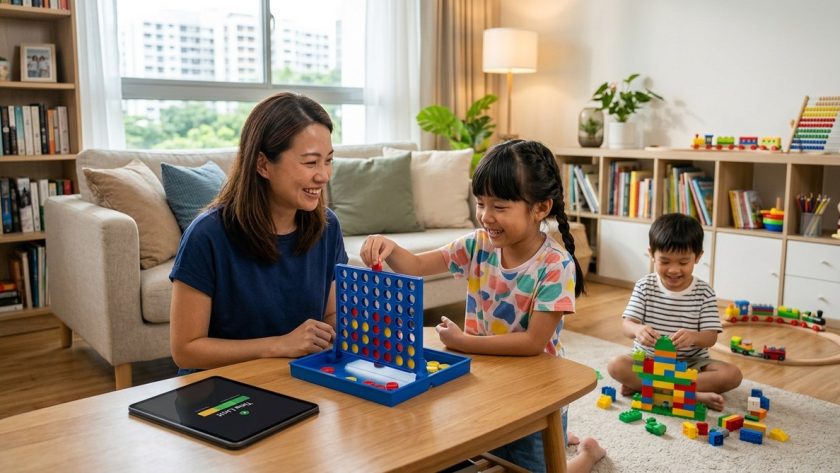
peter An engaging balance with screens is a reality for most Singaporean families today. Screens are woven into learning, connection, and entertainment, but too much screen time can affect sleep, mood, attention, and overall well being. The goal is not to ban screens completely but to build a healthy relationship with technology. With thoughtful boundaries, consistent routines, and open conversations, you can help your child gain the benefits of digital learning and play while protecting their health and development. This article offers practical, actionable strategies for managing screen time effectively for kids of all ages, with a Singapore focused perspective that families can implement right away.
Why managing screen time matters
Screens influence many aspects of a child’s life. Properly managed screen time can support learning, creativity, and social connection. Poorly managed use can contribute to:
- Sleep disruption from late night device use
- Reduced physical activity and outdoor play
- Attention challenges and difficulty focusing on tasks
- Exposure to online risks and inappropriate content
- Potential impacts on mood and social skills
Research from reputable sources highlights the importance of balanced screen use, particularly around bedtime routines, the amount of time spent on devices, and the quality of content. Parents who set clear expectations and model healthy behavior often see better outcomes for their children. In Singapore and beyond, a practical approach combines boundaries with opportunities for meaningful screen use.
Create a family screen time philosophy
A family screen time philosophy is a simple, shared agreement about how screens fit into daily life. It helps everyone know what to expect and why rules exist. Use these steps to craft your family agreement:
- Collaborate with your child and other caregivers to identify goals like better sleep, more outdoor time, and improved focus on homework.
- Define daily or weekly limits that align with age and activities. Be realistic and flexible where needed.
- Specify screen free zones and times such as meals, family time, and before bed.
- Agree on consequences that are fair and consistent, not punitive.
- Review and adjust the plan every 4 to 6 weeks as your child grows or routines change.
Tips for success
– Keep the conversation calm and non judgmental
– Focus on shared outcomes rather than imposing rules
– Write the agreement in simple language and post it where everyone can see it
– Involve both parents and caregivers in the enforcement of rules
Age by age guidelines
Rules should reflect a child’s developmental stage. The following guidance is a practical starting point, but always tailor to your family’s values and your child’s needs.
Under 5 years old (preschool)
- Time: Limit to about 30 minutes total of high quality programming and interactive apps per day.
- Content: Choose age appropriate, educational, and interactive experiences. Co viewing is important to help them understand what they are seeing.
- Routine: Keep screens away from sleeping areas and avoid media close to bedtime.
- Activities: Prioritize hands on play, pretend play, outdoor exploration, and social interactions with family.
5 to 7 years old
- Time: About 1 hour per day on high quality content, including educational apps and short videos.
- Content: Emphasize learning games, creative apps, and programs that align with school topics.
- Routine: Maintain screen-free meals and screen-free family time. Introduce consistent bedtimes.
- Activities: Encourage a mix of physical activity, reading, drawing or building projects, and simple social play.
8 to 11 years old
- Time: 1 to 2 hours of screen time on school days and a bit more on weekends if balanced with physical activity and chores.
- Content: Include a combination of educational content, creative apps, and supervised online games.
- Routine: Co schedule screen time with homework and outdoor play. Set boundaries for after school use.
- Activities: Promote clubs, sports, music, arts, and family activities that do not involve screens.
Teens
- Time: There is no one size fits all; discuss limits that respect independence while protecting health. Consider a daily or weekly cap that allows social connection and responsibilities to be fulfilled.
- Content: Emphasize safe online behavior, privacy, and critical thinking about what they consume.
- Routine: Encourage device free zones during study and family time. Discuss sleep hygiene and the impact of late night scrolling.
- Activities: Support hobbies, sports, volunteering, and offline social events to maintain balance.
Practical strategies for daily management
Model healthy habits
Children learn by watching adults. Show how you manage your own screen time:
– Have device-free meals and quiet zones in the home
– Talk openly about how you structure your own daily screen use
– Demonstrate digital balance by prioritizing reading, exercise, and face to face conversations
Make screen free spaces and times
- Create a family checklist of screen free zones such as bedrooms, dining areas, and the living room during certain hours
- Establish daily routines that reserve time for homework, chores, outdoor play, and family activities
Establish routines and boundaries
- Use predictable schedules for morning preparation, homework, meals, and bedtime
- Tie screen time to fulfilling responsibilities. For example, after homework and chores, you earn a scheduled screen time window
- Keep a simple timer or use built in device features to help manage limits consistently
Use parental controls and device settings wisely
- Leverage built in parental controls to set daily limits, content filters, and pause features
- Use profile based controls for different children to apply rules individually
- Remember that controls are most effective when paired with conversation and trust
Co view and co play
- When possible, watch or play together to help children process content
- Use conversations to reinforce critical thinking about online content and safety
- Encourage collaborative apps that involve creativity, problem solving, and teamwork
Encourage balanced screenings and physical activity
- Schedule regular outdoor play, sports, or family activities without screens
- Offer hands on activities that stimulate creativity such as art, building projects, science experiments
- Include social interactions through playdates or group activities
Screen time logs and monitoring
- Keep a simple log of daily screen time to help identify patterns and opportunities for adjustment
- Review logs with your child to maintain transparency
- Celebrate progress and adjust goals as needed
Managing screens at bedtime
Bedtime is a critical time for children’s sleep quality. Screens can delay sleep and reduce total rest. Consider these steps:
- Put devices away at least 60 minutes before bed
- Keep bedrooms screen free, or use a blue light filter and quiet mode if needed
- Create a calming pre bedtime routine such as reading a physical book, gentle stretching, or quiet music
- Discuss the importance of sleep for growth, mood, and learning so children understand why limits exist
Safety and content management
Online safety is essential as children learn to navigate digital spaces. Practical tips include:
- Talk openly about online safety, privacy, and respectful communication
- Use content filters and privacy settings to reduce exposure to inappropriate material
- Teach critical thinking skills about what they see online, including advertisements and misinformation
- Encourage safe searches and the use of reputable educational sites
- Monitor apps and games for age appropriateness and in app purchases
For children with special needs
If your child has autism or other developmental differences, screen time strategies may need to be adapted. Look for apps and content that support communication, social interaction, and learning strengths. When choosing apps:
– Prioritize apps that have clear instructions, predictable outcomes, and positive reinforcement
– Balance screen based activities with practical real world interactions and sensory activities
– Collaborate with therapists, teachers, or clinicians to tailor a plan that complements therapy goals
– Regularly reassess the impact of screen use on attention, behavior, and learning
– Consider specialized apps designed to support communication and executive function
Common myths about screen time
- Myth: All screen time is bad
Truth: The quality of the content and the context in which it is used matters more than the quantity. - Myth: Screen time steals time from school work
Truth: Digital tools can enhance learning when used purposefully with clear goals and support. - Myth: Children will regulate themselves if left alone
Truth: Guidance and boundaries from parents help children build healthy digital habits. - Myth: Parental controls replace conversation
Truth: Controls are most effective when combined with ongoing dialogue about online safety and responsible use. - Myth: Bedtime screen use has no lasting impact
Truth: Late evening screen time can disrupt sleep patterns and daytime functioning over time.
A practical 10 point checklist
- Have a family screen time plan that all caregivers know about
- Set reasonable daily or weekly limits according to age
- Establish screen free zones and times
- Model healthy use by your own habits
- Use parental controls to support boundaries
- Co view or co play to help interpret content
- Encourage a mix of physical activity and offline play
- Keep bedrooms free from screens and avoid late night use
- Talk regularly about online safety and digital citizenship
- Review and adjust rules every 4 to 6 weeks
Frequently asked questions
What is a healthy daily limit for screen time?
– There is no universal number that fits every child. Start with age appropriate guidelines and adjust based on sleep quality, behavior, academic performance, and physical activity. Focus on balance and quality rather than chasing a fixed duration.
How can I keep screens away from bedtime?
– Establish a “no screens 60 minutes before bed” rule, remove devices from bedrooms, and create a wind down routine that emphasizes calm activities such as reading or gentle stretching.
What should I do if my child argues about limits?
– Acknowledge feelings, explain the reasons behind the rules, and involve them in adjusting the plan. Consistency helps reduce conflict over time.
How can I support a child who spends a lot of time on screens for learning?
– Pair screen use with offline activities that reinforce what they learned online. Schedule breaks, use practical exercises, and celebrate progress outside the screen.
Is it safe to use parental controls on all devices?
– Yes, but use them as a support tool rather than a replacement for conversation and trust. Keep the lines of communication open so your child understands why limits exist.
Where can I find high quality content for my child?
– Look for reputable educational apps and programs with clear learning objectives, positive feedback from other parents, and content aligned with school themes or developmental goals.
Real world tips for Singaporean families
- Align your rules with the school calendar. During exam periods or project deadlines, you may temporarily adjust limits to help with study while ensuring still healthy routines.
- Create a shared family calendar that includes screen time blocks, homework time, meals, and family activities. Visual schedules can be a powerful reminder for kids and helps reduce friction.
- Consider local resources for family friendly activities, such as parks, community centers, and youth programs that offer engaging offline alternatives to screen use.
- Leverage your support network. Talk with other parents to share strategies that work in your community, and maintain a flexible approach that respects individual family dynamics.
Conclusion
Managing screen time is not about saying no to technology, but about saying yes to balanced, meaningful use. By developing a family screen time philosophy, tailoring guidelines to your child’s age, and combining boundaries with open conversation, you can help your child develop healthy digital habits that last a lifetime. Remember that every family is different; the best plan is one that is consistent, fair, and adaptable as your child grows.
For more practical ideas, parenting insights, and activity ideas that blend learning with play, explore SingaporesChild.com.sg. You will find resources on pregnancy, parenting, activities and education with a focus on balanced living, emotional intelligence, and practical tips for busy families in Singapore.