 Marcus
 Screens are everywhere. Lessons stream from tablets. Teachers assign YouTube clips. Enrichment classes upload recordings after school. Children absorb a huge amount of knowledge through video, yet much of it disappears once the screen is turned off. Parents often wish they could freeze those moments and turn them into something tangible. Something printable. Something a child can hold, highlight, and revise before a test.
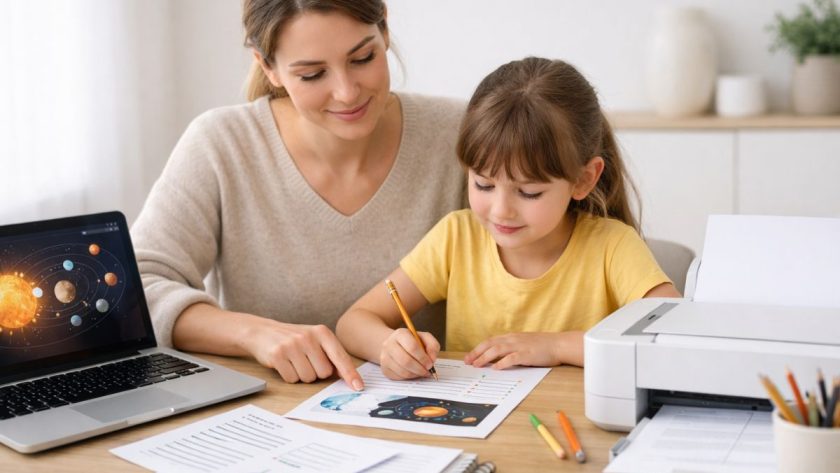
Turning educational videos into printable notes is not complicated. It simply requires a clear process. With the right tools and a bit of structure, parents and educators can transform spoken explanations into neat study sheets that reduce screen time and reinforce understanding. The result is calmer revision sessions and stronger retention at home.
Quick Summary for Busy Parents
- Convert spoken lessons into text using reliable transcription tools.
- Organise transcripts into short, child friendly notes.
- Add headings, bullet points, and visuals before printing.
- Use printed notes to reduce screen time and improve recall.
- Adapt formatting for different learning needs and ages.
Why Printable Notes Still Matter for Young Learners
Children process information in different ways. Some remember what they hear. Others need to see words written clearly on paper. Many benefit from writing over printed notes with coloured pens or sticky tabs. A physical copy slows the pace. It gives space for reflection. It creates a break from the constant glow of a device.
Printed notes also help parents monitor what their child is learning. You can glance at a summary page and understand the lesson instantly. You can ask follow up questions during dinner. You can revisit the page before an exam. This approach fits well alongside topics such as screen time for kids, where families are already trying to create healthier digital habits.
Most importantly, printable notes give children a sense of ownership. They can file their pages into a binder. They can flip through them before assessments. They can feel proud of a growing collection of knowledge.
Step 1: Turn Spoken Lessons Into Clear Text
The first step is extracting the spoken content from a video. Instead of pausing repeatedly and typing everything manually, parents can use a reliable video to text tool to convert the dialogue into an accurate transcript. This saves time and reduces errors. It also allows you to focus on shaping the notes rather than chasing every sentence.
Once the transcript is generated, read through it carefully. Remove filler words. Shorten long explanations. Keep definitions precise. Children do not need every example the teacher gave in the video. They need the core ideas written in simple language.
For younger children, break long paragraphs into short lines. For upper primary students, group ideas under subheadings such as Key Concepts, Examples, and Practice Questions. The aim is clarity, not volume.
Choosing the Right Videos for Note Conversion
Not every video deserves to become a printed study sheet. Be selective. Focus on lessons that introduce new concepts, exam techniques, or step by step problem solving. Phonics tutorials, science experiments, and mathematics worked examples are especially suitable. Many parents already curate content, as seen in guides about phonics YouTube videos, which can easily be converted into revision pages.
Look for videos that are structured clearly. A well organised lesson produces a cleaner transcript. If a video jumps between topics without clear transitions, the resulting text may feel messy and harder to edit.
Step 2: Add Subtitles for Better Structure
Subtitles are not just for watching videos. They help identify sentence boundaries and topic shifts. After extracting the transcript, you can also generate subtitles to see how the lesson naturally breaks into segments. This makes it easier to divide your notes into manageable chunks.
Subtitles can highlight timing cues. For example, if a science teacher spends three minutes explaining evaporation, that signals a major concept. You can create a bold heading for it in your printable notes. This keeps the layout logical and child friendly.
For children with reading difficulties, subtitles also provide a visual link between spoken and written language. According to the UNESCO education resources, multimodal learning, where students engage with both audio and text, supports stronger literacy development.
How to Edit Transcripts Into Child Friendly Notes
A raw transcript is rarely ready to print. Editing is where the real transformation happens. Keep sentences short. Replace complex vocabulary with simpler alternatives. Use examples that relate to your child’s daily life in Singapore.
-
- Start with a clear title that matches the topic. For example, Fractions as Parts of a Whole.
-
- Add three to five key points under subheadings. Each point should be no more than three lines.
-
- Insert one worked example with step by step explanation.
- Include a small practice section with two or three questions.
After completing the numbered structure above, pause before moving on. Review the flow. Ask yourself whether a ten year old could read the page independently. If not, simplify again.
Designing Printable Notes That Kids Will Actually Use
Children respond strongly to layout. Dense text blocks can feel overwhelming. Add spacing between sections. Use bold headings. Consider soft colours for boxes and highlights.
| Element | Purpose | Tip for Parents |
|---|---|---|
| Bold Headings | Highlight main ideas | Keep headings under six words |
| Bullet Points | Simplify complex explanations | Limit to five bullets per section |
| Example Boxes | Show application of concepts | Use real life Singapore scenarios |
Print on standard A4 paper. Leave margins for scribbling. Encourage your child to annotate freely. The page should feel like a working document, not a museum piece.
Balancing Screen Learning With Offline Revision
Many families worry that educational videos increase screen exposure. Converting lessons into printed notes helps balance that concern. Watch once. Extract the key ideas. Then close the device and continue studying offline.
This method also supports children who struggle to focus on long videos. Instead of replaying the same clip repeatedly, they can rely on a concise printed sheet. It reduces frustration and saves time during exam season.
Parents can even build a weekly routine. On Sunday afternoon, choose one educational video. Convert it into notes. File the pages by subject. Over a term, this creates a personalised revision pack tailored to your child’s syllabus.
Supporting Different Learning Needs
Every child learns differently. Printable notes can be adjusted accordingly.
- For visual learners, add simple diagrams or flow charts.
- For auditory learners, attach a QR code linking back to the original video.
- For children with attention challenges, keep each page focused on a single concept.
Spacing is important. Avoid cramming too much onto one page. If a topic feels long, divide it into two sheets. This small decision can significantly reduce cognitive overload.
Making It a Collaborative Family Activity
Children are more engaged when they help shape their own notes. After generating the transcript, sit together and ask which parts felt most important. Highlight those lines. Turn them into headings.
Younger children can draw small icons beside each section. A light bulb for new ideas. A pencil for practice questions. These small touches increase ownership and make revision feel less formal.
Older children can take on more responsibility. Teach them how to clean up transcripts themselves. Show them how to summarise paragraphs into two clear sentences. These are valuable skills that go beyond schoolwork.
From Video to Paper, A Practical Path Forward
Educational videos are here to stay. They offer rich explanations and dynamic demonstrations. Yet their benefits multiply when paired with thoughtful note making. By converting spoken lessons into structured, printable pages, families create a bridge between digital content and meaningful offline study.
This approach supports healthier screen habits. It strengthens comprehension. It builds independence. Most of all, it gives children a concrete tool they can revisit anytime.
Start small. Choose one lesson this week. Turn it into a clear, colourful page. Print it. Place it in a binder. Over time, those pages will grow into a powerful resource that reflects your child’s learning journey.